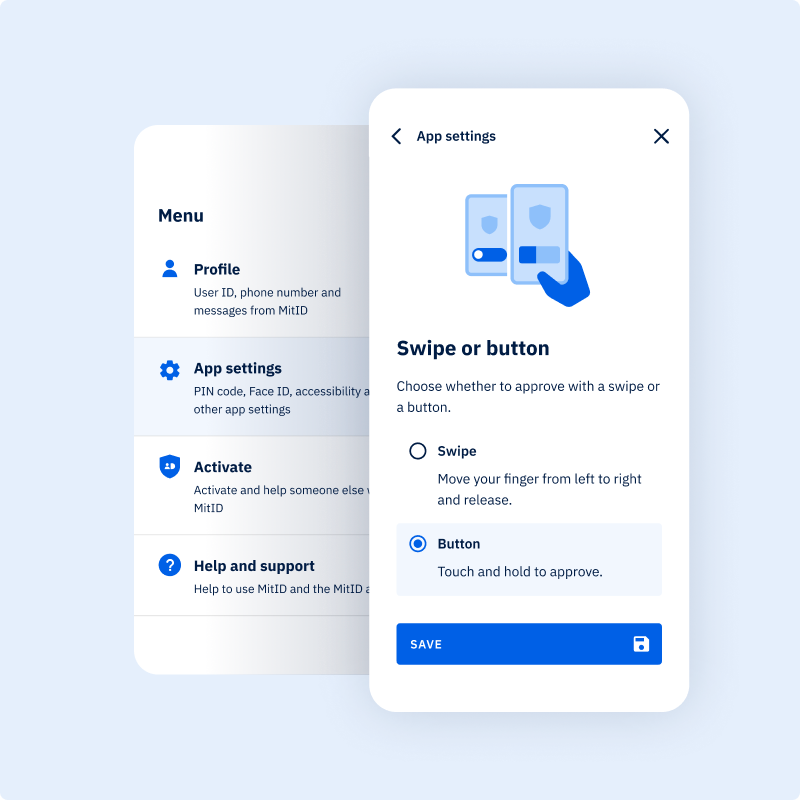
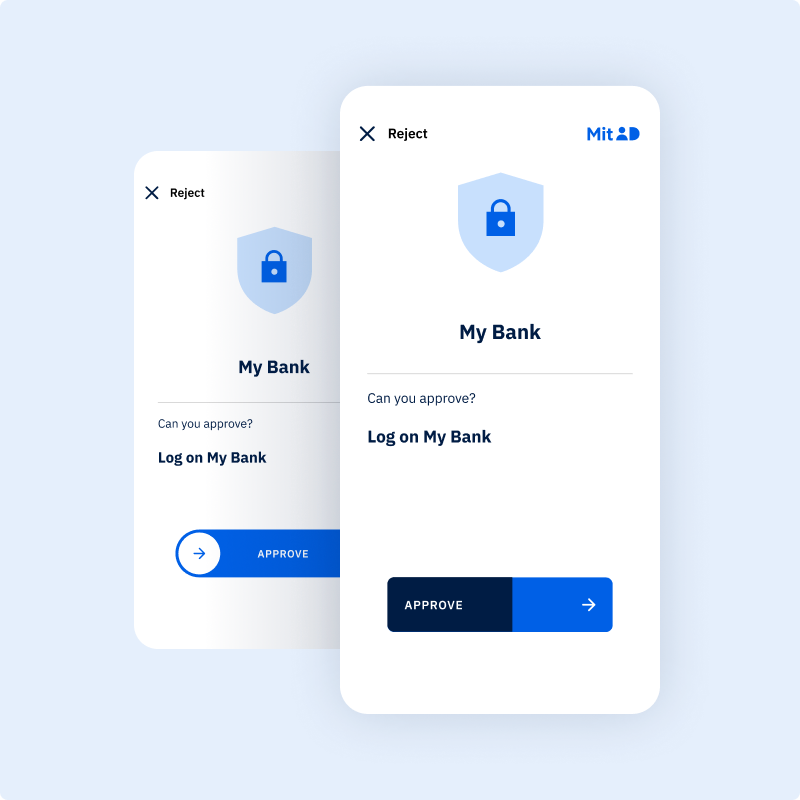
You can choose to use a button instead of a swipe when logging in or approving actions in the MitID app. You might choose this if you find swiping difficult. To approve, you need to press and hold your finger on the button.
Here’s how to approve using a button
Open the MitID app on your phone/tablet.
Tab Menu at the top right of the app.
Select App settings.
Select Swipe or button.
Select the option named Button.
Press Save.
You are now ready to approve using a button instead of a swipe.
How to approve using a button
When approving in the MitID app, press and hold the "Approve" button for one second. Your phone/tablet will briefly vibrate while you hold the button. The button gradually fills with colour to show how long you need to press it.
Gem sprogvalg
MitID bruger en cookie for at gemme dit sprogvalg, så næste gang du åbner MitID.dk, vil siden vises på det sprog, du har valgt. Du kan altid ændre dit sprogvalg. Hvis du vælger ”Gem ikke” vil du ikke modtage en cookie.
MitID use a cookie to save your language selection, so the next time you open MitID.dk, the site will open in the language you selected. You can always change your selected language. If you select “Do not Save”, you will not receive a cookie.