Siden er ikke tilgængelig på dit ønskede sprog. De tilgængelige sprog er nævnt nedenstående.
Blocking
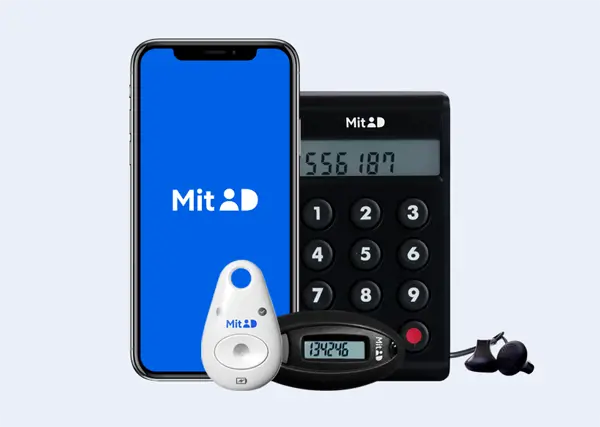
Block your MitID app, code display, audio code reader or chip
If you have lost or had your MitID app, code display, audio code reader, or chip stolen, you need to block it.
This means that neither you or anybody else can use — or misuse — that MitID device.
If you already have another MitID app, code display, audio code reader, or chip, or if you get a new one, you can still use your MitID. Please note that you must activate your new MitID device before it can be used. Read more about how to activate your MitID here.
When should you block your MitID app, code display, audio code reader, or chip?
- If your phone is lost or stolen.
- If you have lost your MitID code display, audio code reader, or chip.
- If you have gotten a new phone. You can either keep your MitID app on your old phone as a backup MitID app, or you can block it if, for example, you plan to sell the phone.
Block your complete MitID temporarily
If your MitID has been or is being compromised, you should block it temporarily. You can do it yourself or you can contact MitID support, who can help you.
When you block it temporarily, all activity on your MitID is shut down. This means that neither you or anybody else can use - or abuse - your MitID.
When should you block your complete MitID?
- If your user ID has been changed by another person.
- If you have approved a request, you did not initialize.
- If you have given your user ID or code to a person, whom you suspect of fraud.
Get help from MitID support
If you are in doubt and need guidance or help to block your MitID temporarily, you can contact MitID support.
Check for suspicious activity
Before you block your MitID, you can check if your MitID has been the subject of suspicious activity, which would cause you to block your MitID.
Check your latest activities at the bottom of your profile page.
Reactivation
- If you have blocked your complete MitID, you can unlock your MitID again in the MitID app or get help from Citizen Service.
- If you have blocked your MitID app, code display, code reader or chip, you can reactivate it or get a new.